Turning a 20-year IT services business into a lead-generating digital front door
How we designed and built the Ace Infotech website: a conversion-focused landing page, a 3-step enquiry funnel, a chat assistant that learns from the page, and layered spam protection, without inventing a single claim.
The project at a glance
Ace Infotech is an IT solutions provider in Mumbai, established in 2005. It looks after the computers, networks, servers and IT hardware of businesses across Mumbai. JMDA was engaged to build its new web presence, with one clear brief: turn visitors into qualified enquiries, honestly.
- Client
- Ace Infotech, IT solutions & AMC services provider
- Location
- 4113, Rustomjee Eaze Zone Mall, Goregaon Mulund Link Road, Sunder Nagar, Goregaon West, Mumbai 400104
- In business since
- 2005 (20+ years)
- Industry
- B2B IT infrastructure services, annual maintenance contracts (AMC) and IT hardware supply
- Engagement
- Strategy, information architecture, UI design, front-end development, conversion optimisation (CRO), chat assistant, spam protection, QA and documentation
- Technology
- HTML5, CSS3, Bootstrap 5.3, vanilla JavaScript; Formspree (form delivery) and Cloudflare Turnstile (bot check) ready; GA4/GTM-ready event layer
- Deliverable
- A production-ready, fully responsive single-page website with documentation, packaged for deployment on any static host
Understanding how Ace Infotech makes money
Before designing a single screen, we mapped the business model. A website for an IT services firm only works if it pushes visitors towards the engagements that matter most to the business.
Six service lines
| Service | What the customer gets | Engagement type |
|---|---|---|
| AMC (Infrastructure Management Services) | Scheduled preventive maintenance and ongoing support for desktops, laptops, printers, network and servers under an annual plan | Recurring contract |
| Facility Management Services | Dedicated IT personnel at the customer's premises for day-to-day operations and user requests | Recurring contract |
| Server Management, Set Up & Networking | Installation, configuration and maintenance of servers, LAN, Wi-Fi, switches, routers and cabling | Project + ongoing |
| Remote Managed Services | Remote monitoring, troubleshooting and support without a site visit | Recurring contract |
| Data Storage, Security & Back Up | Backup planning, storage, NAS, firewall and endpoint protection guidance | Project + ongoing |
| New Office Setup | End-to-end IT for a new or relocated office: network, systems, printers, racks, power | Project |
Nine product lines
The commercial logic we designed around
Recurring revenue is the prize
AMC, facility management and remote services create long-term relationships. The page gives AMC its own section, its own proposal button and its own chat answers.
Projects open the door
A new office, a server install or a hardware order is often a customer's first purchase. Each is a natural moment to start a maintenance relationship.
Hardware is a quote, not a cart
B2B buyers need configurations and quantities, not an online shop. Every product links to a pre-filled quote request instead of a price list.
What stood between a visitor and an enquiry
IT support is a trust purchase: a business owner is handing over the systems their whole team depends on. The site had to earn that trust and make reaching out effortless, under some deliberate constraints.
Building trust without fabricated proof
Many service websites lean on stock testimonials, invented client logos, inflated counters and fake “guaranteed response” claims. Ace Infotech's real strengths are 20+ years in business, a Mumbai office and a broad service range. The site had to persuade with those facts alone.
Busy, non-technical buyers
Visitors arrive with a problem (“our printers keep failing”, “we're moving office”), not a service name. The site had to translate needs into services and keep the enquiry short.
Enquiries outside office hours
The owner can't answer every call. Questions arriving in the evening or while the team is onsite needed an answer and a way to leave details.
Form spam
Public contact forms attract bots. Spam wastes the sales team's time and buries real leads, so protection had to work without punishing real visitors with puzzles.
A mobile-first audience
Many visitors browse on phones. Calling, WhatsApp and the form all had to be one thumb away at every screen size, without floating buttons covering content.
No heavy platform
The site needed to be fast, cheap to host and easy to maintain: no CMS licence, no server to patch, and no lock-in to a proprietary builder.
The goal was not just a good-looking website. It was a system that answers questions, qualifies the need and routes every serious visitor to the Ace Infotech team, at any hour.
JMDA Analytic Pvt Ltd project objective
Ground rules we set before writing code
These principles shaped every decision that followed. They are why the site can go live without legal risk and without promises the business can't keep.
Nothing invented
No fabricated testimonials, star ratings, client names, logos, awards, certifications, response times or guarantees. The testimonials section is built but stays hidden until real, approved reviews are added. Cybersecurity copy talks about reducing risk, never guaranteeing protection.
Honest form behaviour
The site never shows “Thank you, we'll be in touch” unless a real backend has confirmed receipt. If the form isn't connected, the visitor is told plainly and offered phone and WhatsApp instead. No lead is silently lost.
Privacy by default
No personal data is stored in the browser. Only non-personal flags (such as “the exit offer was already shown”) are kept for the session. Analytics events carry the service of interest, never names, phones or emails. No API secrets in front-end code.
Progressive enhancement
Every key path works without JavaScript: content is visible, the form is one plain form and links still scroll. JavaScript adds steps, animation and the assistant on top.
One place to configure
Phone numbers, email, WhatsApp number and message, form endpoint, bot-check key, office hours and feature switches all live in one SITE_CONFIG object. A non-developer can update them without touching the page.
Accessible and measurable
Semantic HTML, keyboard support, visible focus states, screen-reader announcements for form steps and chat, and reduced-motion support. Every call to action carries a tracking ID, so the funnel can be measured from day one.
How the pieces fit together
A static, serverless architecture: the website is plain files on any host. Leads are delivered by a managed form service that verifies a bot-check token before passing the enquiry to the sales inbox.
Where interest starts
- Landing page: 17 sections, desktop & mobile
- Service & product cards: 15 pre-filled quote paths
- Chat assistant: answers from page content
- Exit-intent offer: desktop, once per visit
How it is captured
- 3-step enquiry form: need → setup → contact, per-step validation
- Callback forms: name + phone only
- Chat lead capture: guided questions inside the chat
- Spam shield: honeypot · minimum fill time · Cloudflare Turnstile
Where it lands
- Formspree: verifies the Turnstile token, filters spam
- Sales inbox
- Direct channels: tap-to-call and WhatsApp
- Analytics layer: dataLayer events for GA4 / GTM
Codebase structure
| File | Responsibility | Lines |
|---|---|---|
index.html | Semantic page structure, all 17 sections, forms, modal, structured data (ProfessionalService schema with real contact details only) | 1,324 |
css/style.css | Design system (tokens, typography, components), responsive rules for every breakpoint, wayfinding, chat, card media and conversion components | 2,409 |
js/script.js | SITE_CONFIG, navigation, scroll state, multi-step form, validation, spam checks, callbacks, exit intent, WhatsApp, analytics events | 1,101 |
js/chatbot-data.js | The assistant's curated knowledge: 26 intents, product names, answer templates and quick-reply chips | 304 |
js/chatbot.js | Matching engine, live page index and search, chat UI, guided lead capture | 841 |
README.md | Setup, configuration, spam protection, chatbot training, tracking events and the pre-launch checklist | 334 |
Seventeen sections, each with a job
The page follows the order a cautious buyer's questions arrive in: who are you, what do you do, why you, how does it work, where are you, then how do I start. Every section ends by pointing to the next one or to an enquiry.
| # | Section | Purpose in the funnel | Primary action |
|---|---|---|---|
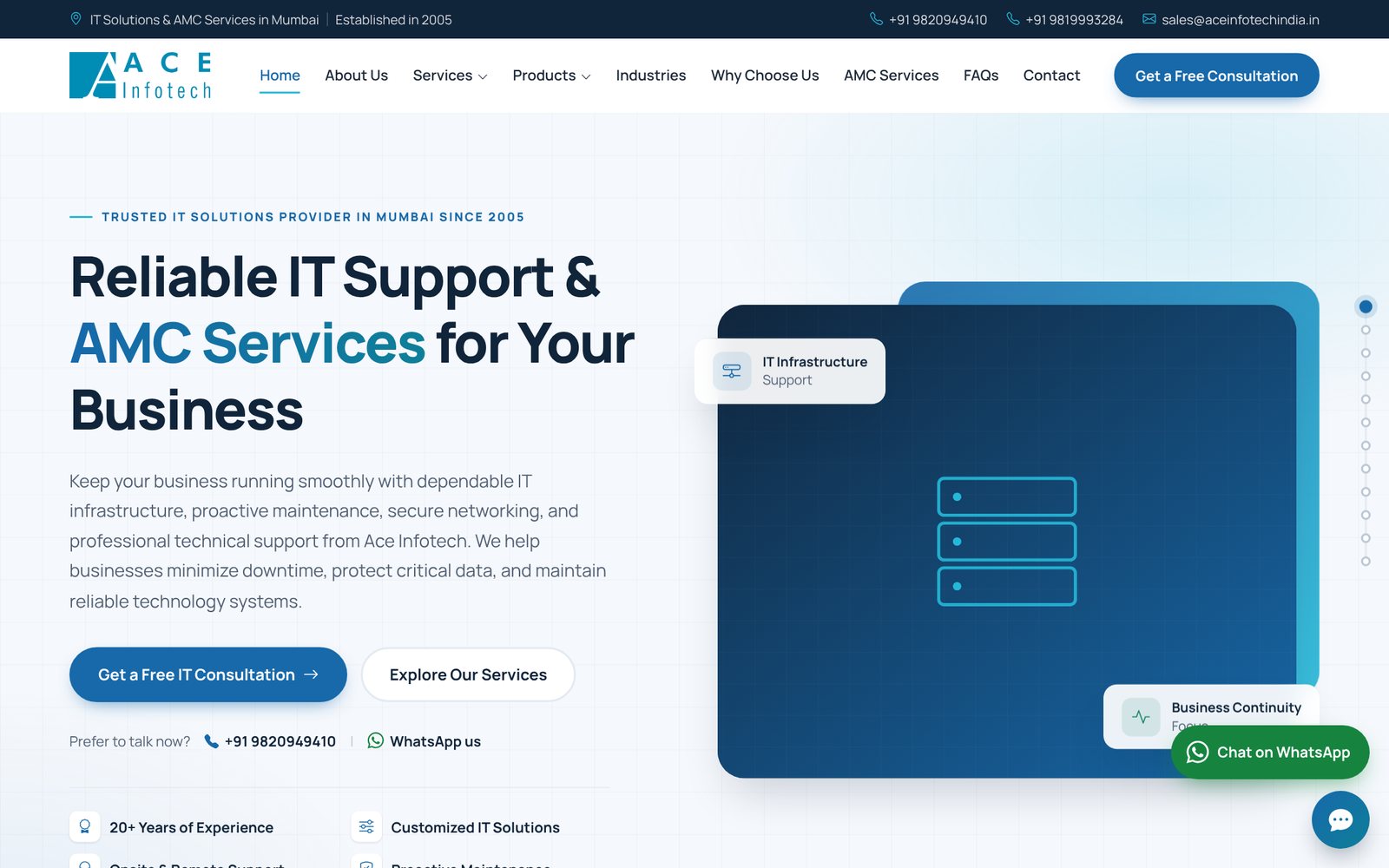
| 1 | Top bar | Instant credibility (Mumbai, established 2005) and contact details for ready buyers | Call / email |
| 2 | Sticky navigation | Orientation; Services and Products menus list every offering | Get a Free Consultation |
| 3 | Hero | Clear promise: reliable IT support & AMC for businesses. “Prefer to talk now?” line for high-intent visitors | Consultation · call · WhatsApp |
| 4 | Trust strip | Four verifiable strengths: 20+ years, customised solutions, onsite & remote, proactive maintenance | Scroll |
| 5 | About | The company's story and approach in plain language | Up next |
| 6 | Services | Six photo cards with key points; each pre-selects its service in the form | Enquire about this service |
| 7 | Products | Nine product cards; each opens a pre-filled hardware quote | Get quote |
| 8 | Why choose us | Six reasons, worded as approach, not guarantees | Up next |
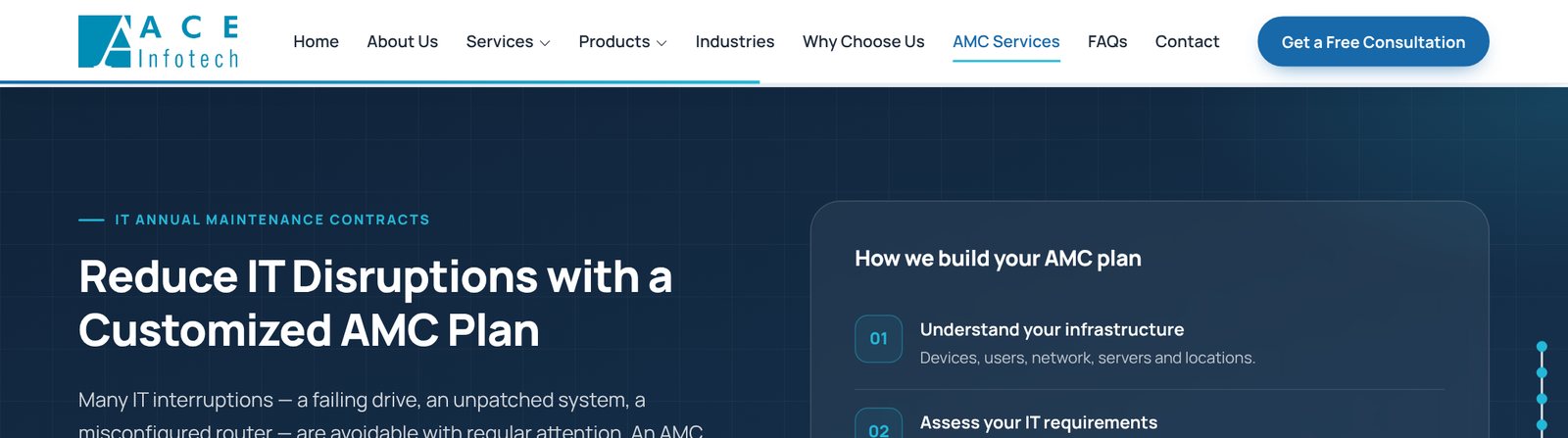
| 9 | AMC | Dedicated pitch for the recurring-revenue service; what an AMC can include and how a plan is built | Request an AMC Proposal |
| 10 | Industries | Six sectors served, plus a “not sure what you need?” banner | Talk to us |
| 11 | Cybersecurity | Risk-reduction measures, with no claims of guaranteed protection | Discuss security |
| 12 | Process | Consultation → assessment → implementation → ongoing support | Up next |
| 13 | Local Mumbai | Full address, Google Maps link and embedded map | Get directions |
| 14 | Testimonials | Built, hidden until real approved reviews are supplied | n/a |
| 15 | FAQs | Eight objection-handling answers (AMC cost, onsite vs remote, getting started) plus “Ask our assistant” | Open chat |
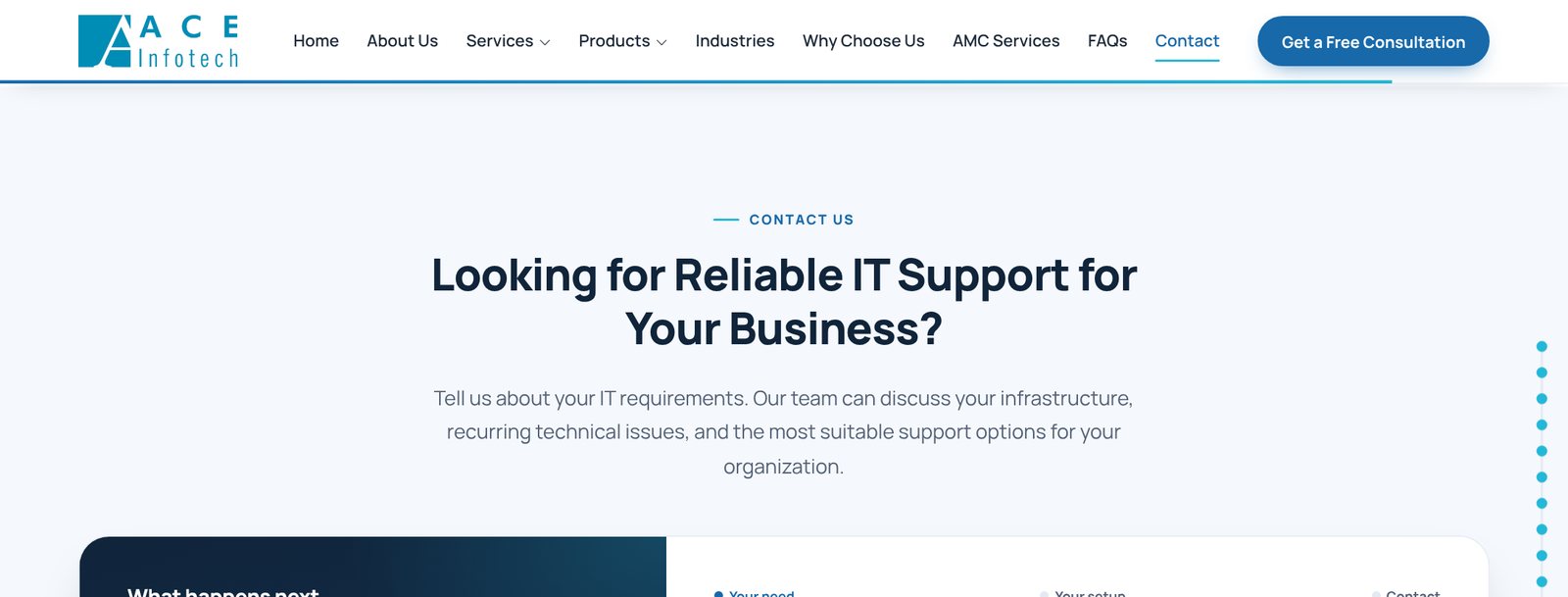
| 16 | Contact | “What happens next” panel, contact details and the 3-step form | Request My Free Consultation |
| 17 | Final CTA & footer | One-step callback form for visitors who scrolled the whole page; full footer with links | Request a Callback |
A 3-step form that asks the easy questions first
A long form with name, phone and email at the top feels like a commitment. We reversed the order: visitors first say what they need with a single tap, then describe their setup. Contact details come last, when they are already invested.
Business rules built into the form
| Rule | Logic |
|---|---|
| Context-aware pre-selection | Clicking “Enquire” on a service card, “Get quote” on a product, or “Request an AMC Proposal” scrolls to the form, ticks the right tile (and product) and jumps straight to step 2. The visitor never repeats a choice. |
| Conditional product field | The product dropdown appears, and becomes required, only when “IT Hardware & Product Quotation” is chosen. |
| Per-step validation | “Continue” checks only the current step's fields and shows inline messages. On final submit, any error sends the visitor back to the step containing it and focuses the field. |
| Indian phone format | 7–15 digits are accepted, with spaces, dashes and +91 tolerated, so real numbers are never rejected. |
| Friction removers | Enter moves to the next step; Back keeps every value; keyboard arrow-key selection does not auto-advance (accessibility); progress is announced to screen readers. |
| Honest outcomes | Success shows “Thank you, {name}!” with three numbered next steps plus call/WhatsApp for urgent needs. Failure or no endpoint gives a plain explanation and alternatives. Data is never stored in the browser. |
Callbacks and a respectful exit offer
Not every visitor wants to fill in a form. For those who are interested but short on time, we added the lightest possible commitment: leave a name and phone number, and Ace Infotech calls back.
Final-section callback form
- At the bottom of the page, a two-field form (“Request a Callback”) sits beside a link to the full form
- Name (2+ characters) and phone validation
- Same honeypot, timing and bot checks as the main form
- Bot widget loads lazily, only when the visitor starts typing
- Tracked as its own lead source:
final_cta
Desktop exit-intent offer
- When a desktop visitor moves the cursor towards the browser bar to leave, a modal asks: “Before you go, shall we call you?”
- The same two-field form, a WhatsApp link and a clear “No thanks”
- Lead source tracked as
exit_intent - Can be switched off with
exitIntentEnabled: false
When the exit offer is allowed to appear
| Condition | Why |
|---|---|
| Desktop with a mouse only (≥ 992 px, fine pointer, hover) | Phones have no “cursor leaving” signal, and pop-ups on mobile hurt the experience |
| At least 15 seconds on the page | Doesn't interrupt people who bounced immediately or landed by mistake |
| Maximum once per visit | Never nags |
| Not after any enquiry was sent | Never asks a converted lead to convert again |
| Not while the chat is open, another dialog is showing, or the contact form is on screen | Never interrupts someone already engaging |
An assistant that answers when the team can't
The owner asked for a bot that could handle enquiries while he was unavailable. We built a lightweight assistant that runs entirely in the browser: no AI subscription, no per-message cost and no risk of it inventing prices or promises.
Curated intents
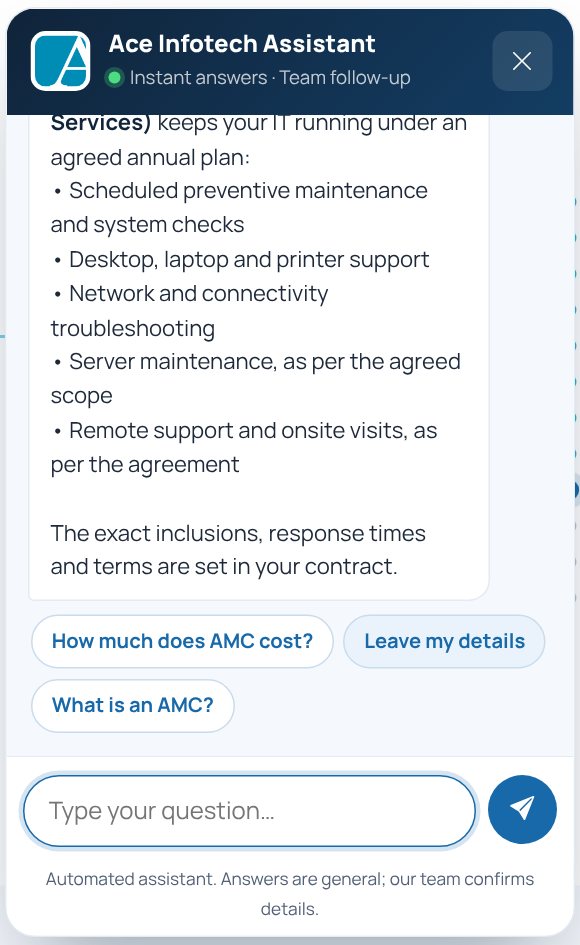
26 hand-written intents cover what buyers actually ask: services, AMC (what it is, what's included, spare parts and response times), facility management, servers, remote support, security, new offices, every product, pricing, contact, address, hours, area served, WhatsApp, privacy and urgent issues. Pricing explains what an AMC quote depends on instead of quoting a number.
Learns the page
When the page loads, the assistant reads the whole page into 63 searchable passages. Questions the intents don't cover are answered from the best-matching passage, using the same ranking method search engines use (BM25), with a “View this on the page →” link. Update the page and the bot is retrained automatically.
How a message is understood
From conversation to lead
Guided capture
“Get a quote” starts a short guided chat: service → name → phone → optional email → requirement → confirmation with privacy notice and bot check.
Office-hours aware
Using Mumbai time (Asia/Kolkata), the bot can tell visitors whether the office is open and set expectations for a follow-up (once office hours are configured).
Always a human route
Every answer offers chips for calling, WhatsApp or the form. If the form isn't connected, the bot hands off to WhatsApp with the details pre-filled instead of pretending to send them.
Three invisible layers between bots and the sales inbox
Ace Infotech asked how to stop form spam. We chose a layered approach that blocks automated submissions without making real customers solve puzzles.
| Layer | How it works | What it stops |
|---|---|---|
| 1 · Honeypot | A hidden field (_gotcha) that people never see but bots fill in. Any submission with it filled is quietly discarded, by both the page and Formspree. | Simple form-filling bots |
| 2 · Minimum fill time | Submissions faster than 3 seconds after page load are blocked with a friendly “please press submit again” message. A person can't read and fill a form that fast; a script can. | Scripted instant submissions |
| 3 · Cloudflare Turnstile | A privacy-friendly, usually invisible human check. The page receives a token that Formspree verifies server-side with a secret key, which never appears in the page code. Works for the main form, callback forms and chat leads. | Sophisticated bots and headless browsers |
| Plus · Formspree filtering | The form service applies its own spam filtering before forwarding to email. | Known spam patterns |
Failure handling, tested path by path
- Too-fast submission → blocked with a retry message
- Honeypot filled → silently rejected, nothing sent
- Bot check passed → token included, enquiry sent
- Bot check not completed → clear inline prompt
- Bot-check script fails to load → visitor offered phone and WhatsApp
- No key configured → form still works with layers 1 and 2
Security posture
No API secrets in front-end code; the Bootstrap CDN is loaded with integrity hashes; outbound links use rel="noopener noreferrer"; chat output is sanitised and blocks unsafe link schemes. Request timeouts (15 s) prevent a hung network call from leaving a visitor stuck.
Never leaving a visitor wondering “where now?”
A long single page can feel like a maze. We built a wayfinding layer so visitors always know where they are, what comes next and how to act, and tuned every component for the thumb rather than simply shrinking it.
Sticky header with active state
The navigation follows the visitor, highlights the current section and shows a scroll-progress line. Services and Products dropdowns list all 15 offerings; each link scrolls to and briefly highlights its card.
Section rail
A dot rail on the right edge (desktop) shows every section, labels it on hover and jumps there on click.
“Up next” links
Each section ends with a pill naming the next section (“Up next: Industries we serve”) so reading flows naturally down the page.
Mobile off-canvas menu
A full-height menu with every section, both dropdowns, both phone numbers, email, WhatsApp and the map link. It closes before scrolling so the landing position is exact.
Floating action stack
Chat, WhatsApp and back-to-top buttons share a measured stack that sits above the mobile sticky bar and never overlaps it, verified at nine screen sizes.
Clean first screen on phones
Floating buttons appear only after the visitor scrolls past the hero, so the headline and main buttons are never covered.
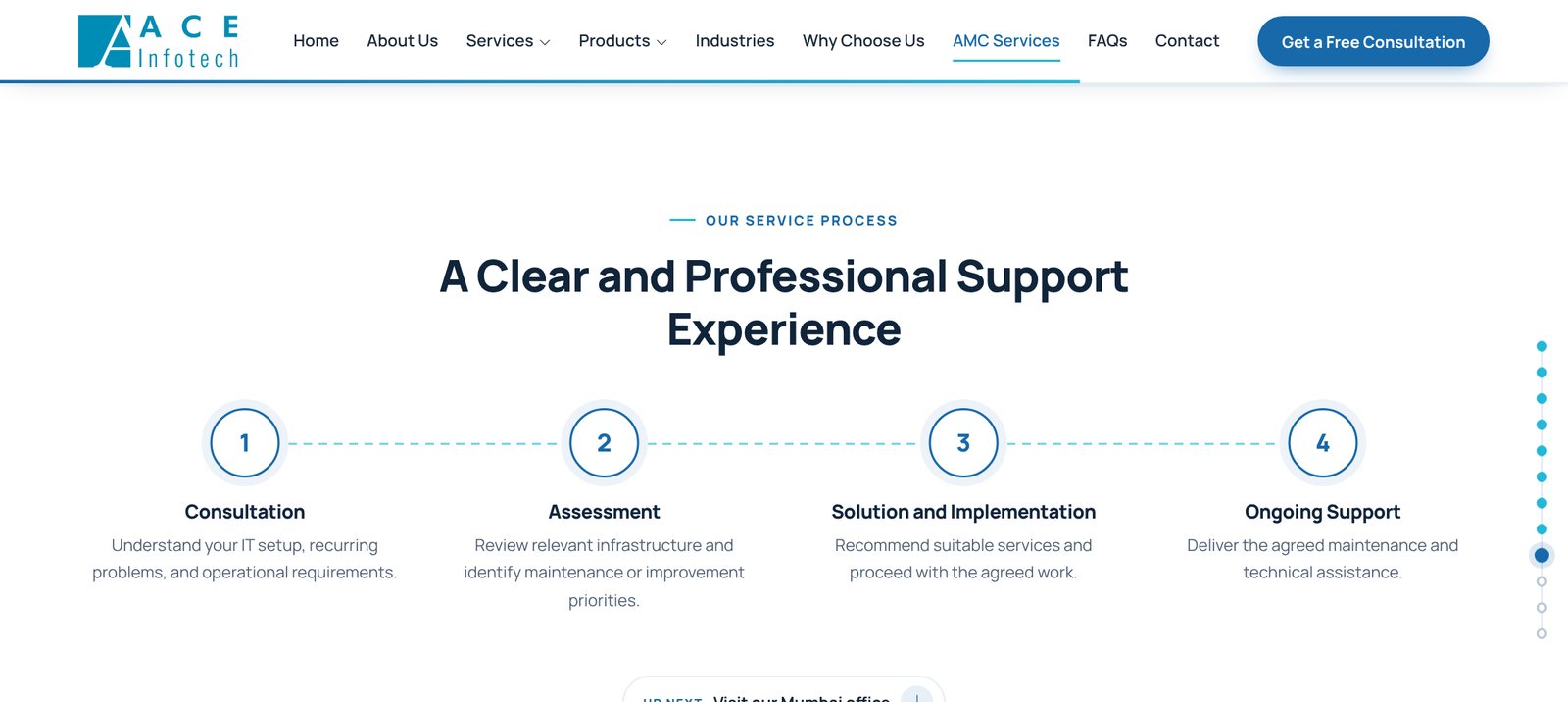

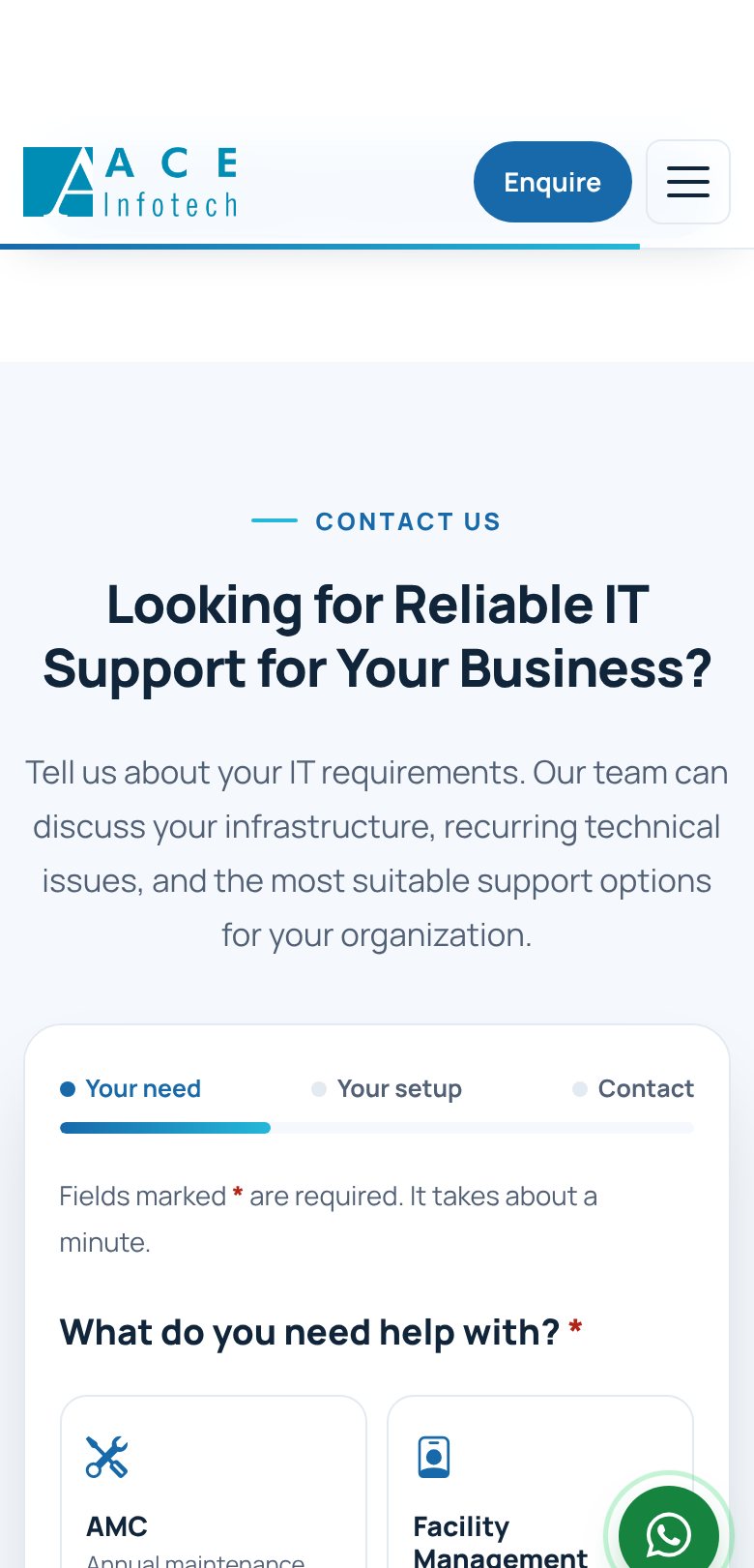
Designed for the thumb, tested from 320 px
- Header compresses to logo + “Enquire” + menu down to 320 px
- Top bar shows one phone number on phones, both on large screens
- Sticky bottom bar uses a shorter label on very narrow phones
- Service tiles: four columns on desktop, two on tablet and phone
- Product cards switch to a row layout on tablets for easy scanning
- Chat opens full-width on phones; page links close it automatically
- Reduced-motion users get no reveal animations
- Images are lazy-loaded with responsive sizes and fall back gracefully
Every step of the funnel is measurable
The site sends a structured event for every meaningful action into a standard data layer that Google Analytics 4 or Tag Manager picks up the moment it's installed. No personal data is included.
| Event | Fires when |
|---|---|
cta_click | Any tracked button or link is clicked (with its ID, e.g. hero_primary, amc_proposal, sticky_cta, hero_whatsapp) |
form_start | The visitor first interacts with the enquiry form |
form_step | The visitor reaches step 1, 2 or 3, showing exactly where drop-off happens |
form_validation_error | A step is blocked, with the step number and the fields involved |
generate_lead | The backend confirms an enquiry, tagged by source: contact_form, final_cta, exit_intent, chatbot |
form_spam_blocked | The honeypot or time check stopped a submission |
exit_offer_shown | The exit-intent modal was displayed |
chat_open · chat_answer · chat_fallback · chat_handoff | Assistant usage, which intents were answered, unanswered questions and handoffs to call or WhatsApp |
KPIs for go-live: conversion
- Leads per 100 visitors, by source
- Step 1 → 2 → 3 → submit completion
- Click-to-call and WhatsApp taps
KPIs for go-live: lead quality & content
- Share of leads by service, especially AMC
- Chat fallback questions, to grow the knowledge base
- Spam blocked vs leads delivered
Tested like software, not just checked like a brochure
JMDA ran automated browser tests (Playwright) against the finished site, covering layout, interaction and every failure path.
| Area | What was verified |
|---|---|
| Layout & responsiveness | No sideways scroll at any width; header, menu, cards, tiles and sticky bar fit from 320 px; floating controls never overlap content or each other |
| Navigation | Every menu and dropdown link lands on the right section; card highlight; menu closes before scrolling; Escape closes overlays |
| Enquiry form | Each step blocks empty required fields; tile tap auto-advances but arrow keys don't; Enter advances; Back keeps data; CTA pre-selection jumps to step 2; complete payload sent; thank-you rendered |
| Callbacks & exit offer | Sent with an endpoint and honestly refused without one; offer hidden before 15 s, shown once, never on mobile |
| Spam protection | Too fast, honeypot, bot check success, missing token, script load failure, no key configured |
| Chat assistant | 88 routing questions; guided lead flow with and without an endpoint; WhatsApp handoff; keyboard and screen-reader behaviour |
What Ace Infotech now has
Credible, fact-based brand
A modern presence built on real facts: 20+ years, a Mumbai office, a full service and product range.
Six enquiry channels
3-step form, callback form, exit offer, chat assistant, WhatsApp and tap-to-call, with 15 pre-filled quote paths from every service and product card.
Always-on assistant
Answers from the site's own content and captures leads after hours.
Clean sales inbox
Layered spam protection without puzzles, and funnel analytics ready for GA4 with per-source lead attribution.
Zero legal exposure
No fake reviews, logos, guarantees or schema: nothing invented.
Low running cost
Static hosting, no CMS licence, no AI fees, one config object to maintain.
Recommended next steps
| # | Action | Expected benefit |
|---|---|---|
| 1 | Connect Formspree and Turnstile keys | Enquiries delivered to the inbox with full bot protection; the most important launch step |
| 2 | Add real Google reviews or approved testimonials | The largest remaining trust lever; the section is already built |
| 3 | Client names or logos, with permission | Social proof for corporate and institutional buyers |
| 4 | Real team and office photography | Human connection and local credibility over stock imagery |
| 5 | Configure office hours | The assistant can tell visitors when the team will respond |
| 6 | Install GA4 and review after 30 days | Data-driven iteration on headlines, steps and CTAs |
| 7 | Optional: AI-assisted chat upgrade | Free-form conversations, using a secure server-side key |
Strategy, design, development, conversion optimisation, a self-learning chat assistant, spam protection, testing and documentation, delivered by JMDA Analytic from the same neighbourhood in Mumbai.
Want a website that does measurable work?
Talk to JMDA Analytic about conversion-focused pages, lead capture, chat assistants and analytics built on real facts about your business.
Ace Infotech names, contact details and screenshots belong to Ace Infotech. Card photography uses the free Unsplash licence, credited in the project documentation.